Adaptive cruise control quick guide
Adaptive cruise control helps you maintain a set speed and interval between your car and the vehicle in front of you. The speed range of the function is 0–150 km/h. For more information, see Adaptive cruise control.
Note: When adaptive cruise control is activated or deactivated, the message ACC activated or ACC canceled appears in the notification area.
The adaptive cruise control has limitations. Be aware of them before using the function. See Limitations of the adaptive cruise control function.
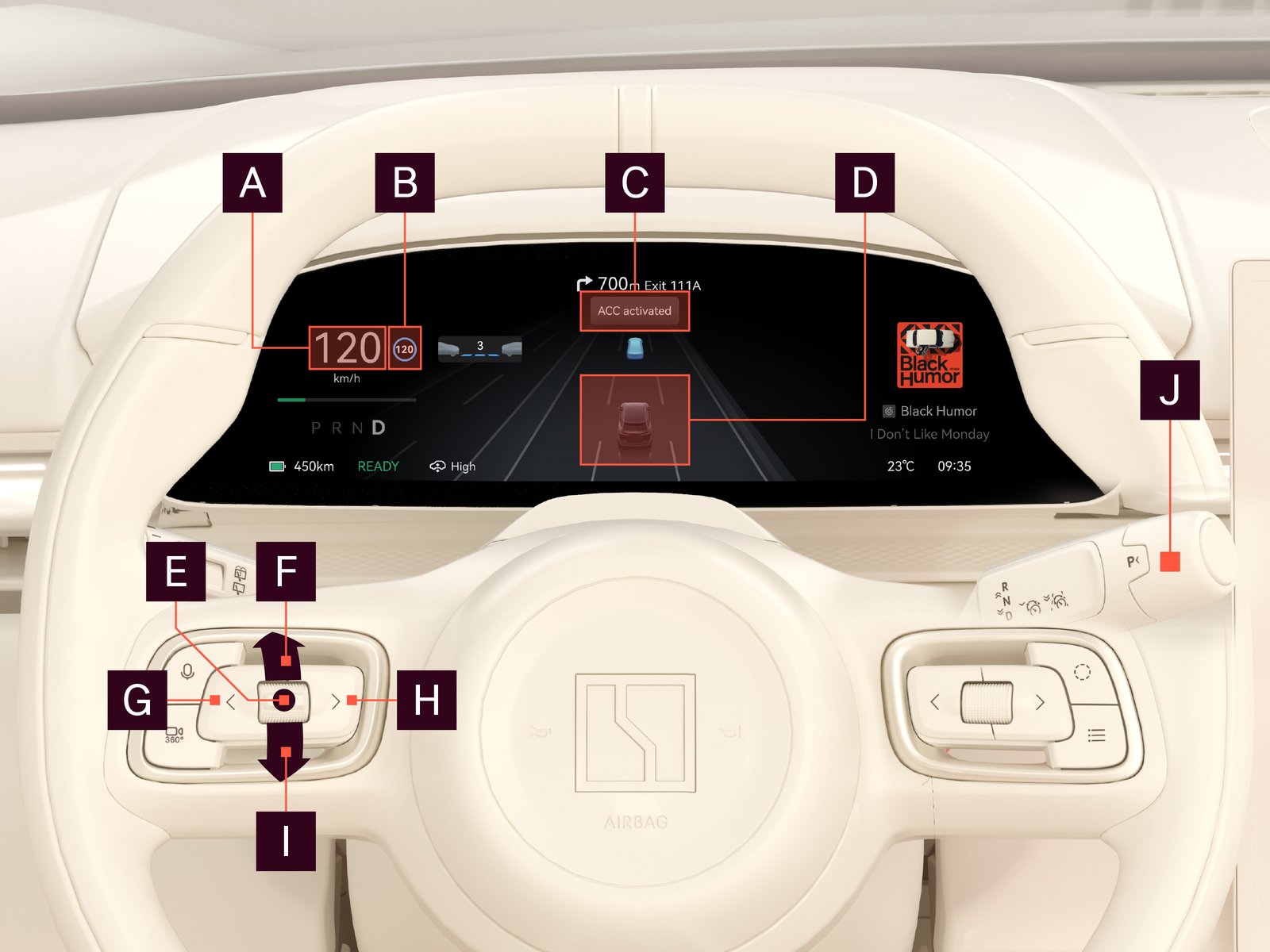
| Function/button | Description | ||||||||||
|---|---|---|---|---|---|---|---|---|---|---|---|

|
Current speed | Displays current speed | |||||||||

|
Adaptive cruise control symbol | Color indicates function status:
|
|||||||||

|
Notification area | Driver assistance messages | |||||||||

|
Overview | Status of lane keep assist | |||||||||

|
Thumbstick center |
Press once: Resume adaptive cruise control
If adaptive cruise control is active, set speed to current speed limit
|
|||||||||

|
Thumbstick up | Short press: Increase set speed by 5 km/h Long press:Continuously increase set speed by 1 km/h increments |
|||||||||

|
Left button | Decrease lead interval | |||||||||

|
Thumbstick down | Short press: Decrease set speed 5 km/h Long press: Continuously decrease set speed by 1 km/h increments |
|||||||||

|
Right button | Increase lead interval | |||||||||

|
Right steering wheel lever | Down once: Activate adaptive cruise control Down twice: Activate highway assist Half-step up once: Cancel adaptive cruise control |
For more information on how to use adaptive cruise control, see Activate and adjust adaptive cruise control.