Driver display information
The driver display displays information about various systems in the car, such as lane keep assist, surrounding traffic, and, when enabled, driver assistance. For further information about the driver display, see Tailgate.
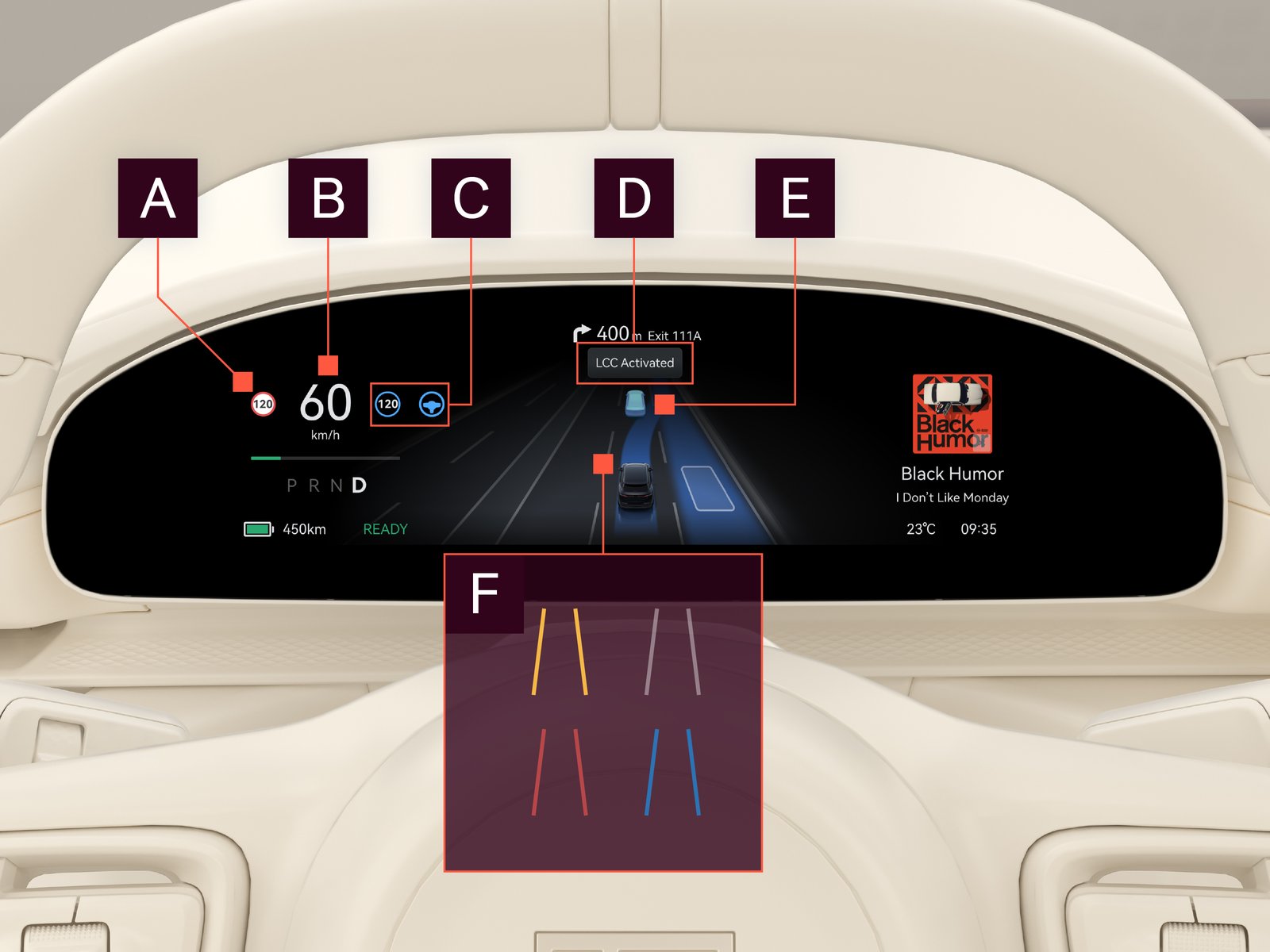
| Name | Description | ||||||||||||||||

|
Traffic sign information
|
Relevant traffic signs are displayed here if the traffic sign information function is activated. For further information, see Traffic sign information.
|
|||||||||||||||

|
Current speed
|
Displays current speed.
|
|||||||||||||||

|
Driver assistance symbols
|
Status of the driver assistance functions:
|
|||||||||||||||

|
Driver assistance messages
|
Driver assistance messages are displayed in this area.
|
|||||||||||||||

|
Surrounding traffic
|
Detected cars are shown in their respective lanes in relation to your own car.
|
|||||||||||||||

|
Lane markings
|
|