|
Warning
|
• |
Do not close the windows automatically or remotely if you do not have full visibility of the car and all windows, and cannot confirm that there is nothing blocking the windows. Doing so could lead to serious injury or death. |
|
The windows can be controlled using:
|
• |
The driver door control panel |
Passengers can control their own window from the control panel on their respective doors. For information on how to control the windows using the key fob and the NFC card, see Use the key fob and Lock/unlock the car using the NFC card respectively
Note: Excessive operation of the windows will cause the window motor to overheat. If it does, the window controls will be disabled until the motor has cooled down.
Note: It is possible to override the pinch protection when closing has been canceled, by continuing to press the window control button in the same direction. This is useful if, for example, ice has formed on the window.
Note: If the function
close windows on lock is activated, any open window will close when the car is locked.
To activate/deactivate closing windows on lock:
|
1. |
Navigate to  .
|
|
2. |
Toggle Close windows on lock on/off.
|
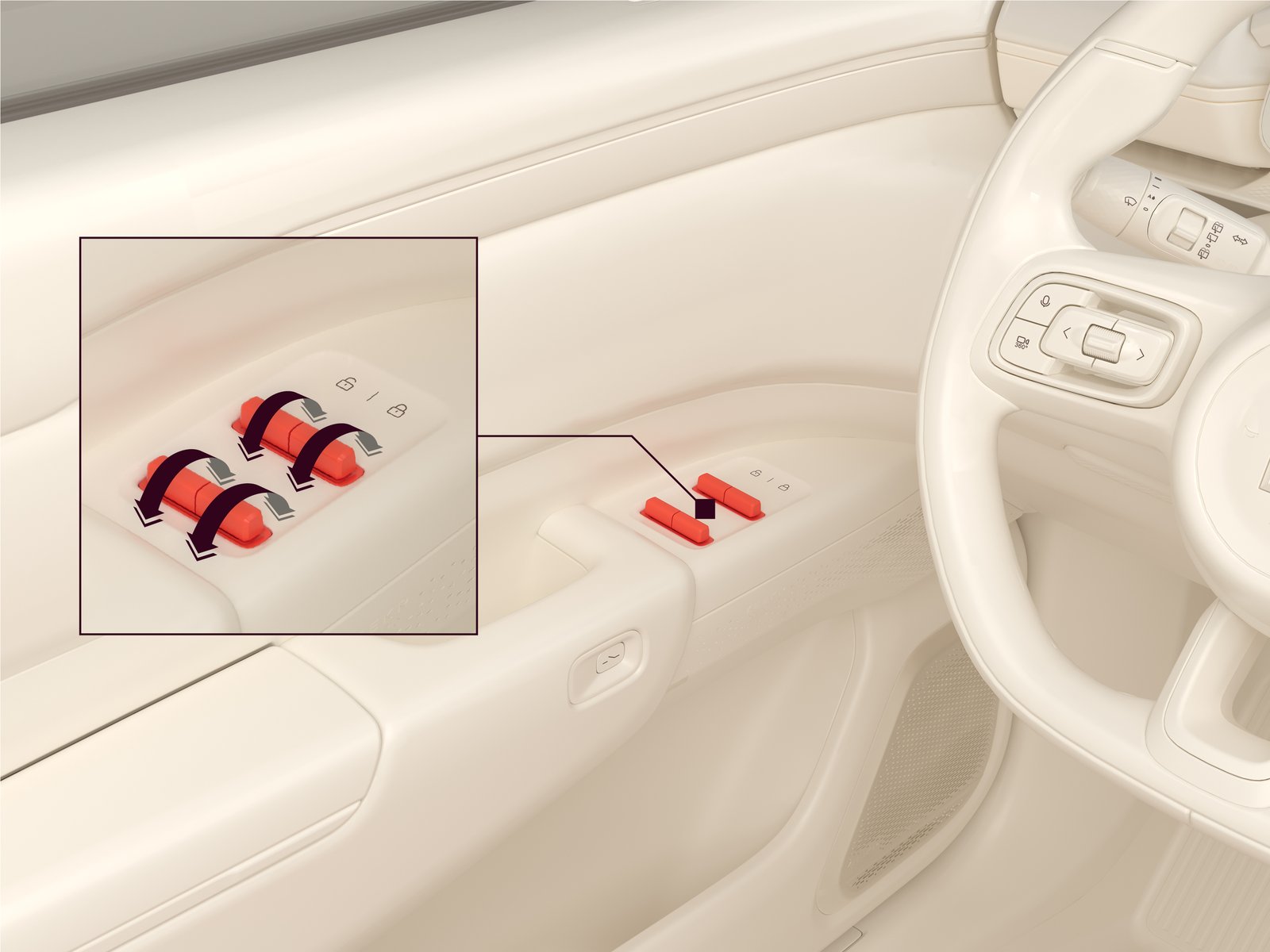
Control the windows through the door control panel
Each door has a control panel with a button that controls the window of that door. The driver door has a control panel with buttons for all four windows.
On the driver door control panel:
|
• |
Push/pull a button forward/backward to automatically open/close the window. |
|
• |
Push/pull and hold a button forward/backward to manually control the window down/up. |
|
• |
During automatic opening/closing of a window, push/pull the button for the respective window to stop it from moving. |
|
• |
The windows can be controlled from the control panel for up to 120 seconds after powering off the car. |
Control the windows through the center display
To control the windows through the center display, navigate to
.
Automatic closing during rain
If it starts to rain when the windows are open, the windows will automatically close after the car is locked from the outside and the theft protection function is activated.
Automatic closing during rain is always active.
Rear window locks
The rear window locks prevent passengers in the rear seats from opening or closing either or both rear windows. When a rear window lock is enabled, that window can only be opened through the center display or with the button on the driver door console. To activate the rear window locks for either or both rear windows:
|
1. |
Navigate to .
|
|
2. |
Select the relevant window in Window lock. |